FAQ
CHOOSING
my electric bike
Consult our size guide to determine the ideal frame size based on your measurements. You can also visit your nearest dealer store to test ride your future O2feel e-bike and select the best fit.
An electric bike is 4 to 6 kg heavier than a “conventional” bike; at O2feel, our bikes weigh around 20 kg. The total weight varies depending on the chosen battery capacity, frame size, wheels, etc., which is why we cannot provide a single standard weight. At O2feel, we believe that comfort, geometry, and momentum take precedence over overall weight, which is easily offset by the electric motor assistance.
Our authorized dealer network consists of qualified professionals ready to guide and assist you with your purchase. They will ensure quality follow-up regarding maintenance and software updates.
For more details, check our store locator map.
USES
& accessories for my electric bike
Before setting off, check that your tires are inflated to the correct pressure. Next, press the On/Off button on your bike, located on the battery or on the frame for e-MTB/VERN/EQUO models. Press it and make sure the display on the handlebars turns on before mounting your bike. Once turned on, adjust your saddle, select your assistance mode (Eco, Normal, or Boost), and hit the road.
Gears are changed mechanically via the shifter, which is always located on the right side of the handlebars. The shifter can be a twist grip, a trigger, or a lever. On certain bike models, gears change automatically: this system is called DI2.
Many accessories specific to the Equo model can be consulted here
Most O2feel bikes feature the MIK and MIK HD system. This technology allows you to easily attach accessories to simplify your daily rides. Click your luggage on and off in seconds. By choosing the MIK HD system, we give you the freedom to equip your bike according to your needs.
Equip your bike according to your needs and preferences. Our luggage racks are compatible with MIK and MIK HD systems. Choose your bags and accessories from the range designed for this system. Learn more about the MIK HD principles here.
Yes, the majority of our bikes feature a certified luggage rack capable of supporting up to 27 kg, suitable for a child seat. You can also install a child seat equipped with the MIK HD mounting system.
Our electric mountain bikes (e-MTBs) are specially engineered for sporty off-road riding. Therefore, it is not possible to add standard mudguards, luggage racks, or similar accessories. However, specific mudguards designed for e-MTBs are available. You can attach them to the seat post or directly to the front fork using a clamping ring.
MAINTAINING
& transporting my bike
Your electric bike requires regular maintenance. After 3 months of use or 200 km:
- Check tire pressure using a bike pump or a pressure gauge. Refer to the recommended values printed on the tire sidewall.
- Check your chain tension. If it is too loose, you risk derailing and damaging your rear derailleur.
- Braking system:
o For bikes equipped with rim brakes (also known as “V-Brakes”), inspect and adjust the front and rear braking if necessary. If in doubt, visit your local dealer.
o For bikes equipped with disc brakes, we recommend contacting an authorized O2feel dealer for a thorough inspection. - Check that all fasteners and bolts on the e-bike are properly tightened (front and rear wheel nuts, mudguard screws, stem, etc.). A loose nut can cause component failure that will not be covered under warranty. Where possible, have these checks performed by your local bike shop.
- Check that all electrical connectors on the bike (pins, battery socket) and on the battery are clean (free of dust and oxidation). In case of oxidation on electrical parts, contact your dealer immediately and do not use the bike.
Note: For regular use, inspect these key areas on a routine basis.
In case of prolonged storage, remove the battery from the bike and store it in a dry place away from direct sunlight.
First, you will need clean cloths (microfiber preferred), a pair of gloves, a degreasing product, water, and a sponge.
You can clean your bike with or without water; however, never spray it heavily with a garden hose or a high-pressure washer. Use a slightly damp sponge with degreaser to clean the frame, tires, handlebars, saddle, derailleur, and cassette. Do not clean the brakes with degreaser.
Dry and polish your bike with a microfiber cloth, then lubricate the drivetrain components: chain, derailleur, cassette, chainring. Do not use grease—use dedicated bike lubricant instead. Once again, be careful not to apply lubricant or grease to the brakes.
- Always remove the battery from your bike before starting any work.
- Put on gloves to protect your hands and keep them clean from grease.
- Shift the chain onto the smallest sprocket (highest gear).
- Unscrew the rear wheel axle.
- Hold the derailleur back.
- Remove the wheel axle by pulling on the wheel.
- Then remove the wheel. Be careful not to squeeze the brake lever or touch the disc rotor during removal, as this could damage or misalign your brakes.
To determine the correct tire pressure, read the markings on the sidewall of the tire. You will see numbers indicated (for example, 2.5 – 5 bar). This means you should inflate your tires between 2.5 and 5 bar.
In this scenario, we recommend inflating to 4 bar for all-around road and path riding.
The first step is to remove the wheel. Prepare the necessary equipment :
gloves, a pair of tyre levers, a bicycle pump, a new inner tube and a little elbow grease.
Here are the steps: :
1. Always start by taking out your bike’s battery before any procedure.
2. Empty any remaining air using the valve.
3. Insert the first tyre changer between the tyre sidewall (bead) and the rim so it comes out through the rim.
4. Jam the tyre changer using a spoke.
5. Insert the second tyre changer in the same way as the first.
6. Once the tyre is out, just slide the second tyre changer around the rest of the rim taking out the tyre.
7. Take out the inner tube and change it for a new one.
8. Slightly inflate the new inner tube before insertion.
9. Insert the new inner tube starting with the valve.
10. Put the tyre back in the rim by hand starting opposite the valve.
11. Insert the tyre making sure not to pinch the inner tube to avoid a new puncture.
12. Press on the tyre to get it inside the rim.
13. Once inside, press on the valve to check that there is no pinch and inflate the tyre with a pump.
14. Inflate your tyre to the correct pressure (check the manufacturer’s recommendation on the tyre sidewall).
15. Don’t forget the cap before putting your tyre back on the bike.
Be careful not to brake or touch the disc during dismantling and replacing the inner tube as this could damage or unsettle your brakes.
BATTERIE
my bike
Find all detailed information on our dedicated O2feel battery page.
To test your battery’s range, click here.
To learn more about your bike’s range, visit our battery information page.
Battery range depends on several factors, such as the selected assistance mode or the terrain. It is also important to regularly (every month) check your tire pressure, as low pressure significantly increases energy consumption.
During extended periods of non-use, we recommend:
– Removing the battery from the bike.
– Storing the battery in a dry place away from direct light. Avoid extreme temperature fluctuations, ideally keeping it between 10°C and 20°C for optimal preservation.
– Recharging your battery every 3 months to prevent prolonged inactivity. It is crucial not to let it discharge completely (aim for around 70% charge, or 3 out of 4 green LEDs lit).
Finally, remember to fully recharge it before using it again after a long storage period.
To recharge your battery, all you need is a standard 220V electrical outlet.
If traveling in a motorhome/campervan, you can plug it directly inside your vehicle. We recommend, however, that your motorhome is also connected to grid power.
In 4 simple steps, you can easily remove and replace your battery:
1. Unlock the battery with your key;
2. Depending on the battery :
a. If it is a PowerPack battery, pull the battery out of its slot;
b. If it is an iPowerPack battery, press the push button on the underside of the frame and remove the battery.
c. If it is an iPowerFit battery, it will come out of its slot automatically when you unlock it;
3. Replace the battery in its slot;
4. Engage the battery until you hear a security click and lock it with your key.
Some models feature an additional security step with an aluminum cover protecting the battery. In this case, unscrew the bolt on the plate and detach it to access the battery.
All our batteries come with a 4-year warranty, subject to online warranty activation on our website.
To be eligible for this service, the complete bike or battery must be purchased from an authorized O2feel dealer.
ERROR CODES
Battery
A battery error code is a message or alert displayed on your e-bike screen indicating a detected issue within the battery system.
The error code helps identify a specific anomaly, much like a check engine light in a car.
To help you better understand the messages displayed on your e-bike screen, we provide a detailedlist of icons and error codes.
You will find:
- The meaning of each symbol or code,
-
Clear explanations of possible causes,
-
And initial steps to troubleshoot or resolve the issue.
To help you better understand the messages displayed on your e-bike screen, we provide a detailedlist of icons and error codes.
You will find:
- The meaning of each symbol or code,
-
Clear explanations of possible causes,
-
And initial steps to troubleshoot or resolve the issue.
APPLICATION
O2feel
For security reasons, you must validate your account before logging in to the application. This verification is completed via the activation email sent to you automatically upon registration.
If you see this error message, your account has not yet been activated. Please:
- Check your inbox as well as your spam/junk folder.
- Click on the activation link inside the email.
After registering on the app, an activation email is automatically sent to validate your account and allow you to log in. If you have not received it:
- Check your spam or junk folder.
- Ensure that the email address used during registration is correct.
- If needed, request a new activation email directly from the app.
If you still receive nothing, please contact us so we can assist you in activating your account.
Whether an activation key is included depends on your specific bike and its setup:
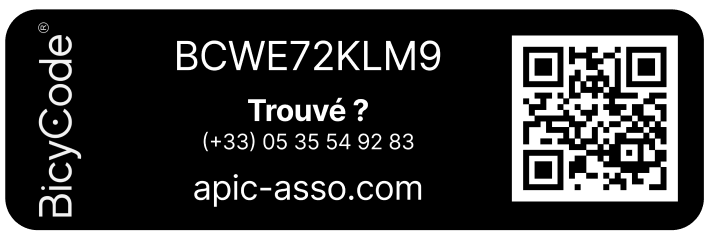
- If your bike features a Digital Passport, an activation key should be included with your bike. This Digital Passport is represented by a Bicycode label applied directly to your frame during factory assembly (see example here).
- If your bike is not equipped with this Digital Passport, it is completely normal not to have an activation key in your accessory box. Rest assured, this has no impact on using your bike or accessing app features: you can enjoy the full experience like all other users; only the registration process differs.
👉 If your bike does have the Bicycode label with O’Code technology but you did not receive an activation key, please contact us for assistance.
Several reasons may explain this issue:
- You haven’t activated your extended warranty on the app yet
- For your battery to be automatically linked to your bike, you need to activate your extended warranty via the app.
- This activation is done by completing a quick form that takes only 5 minutes.
- You registered your battery prior to the launch of the app
- In this case, automatic linking only works if you use the exact same email address on the app as the one used during initial battery registration.
If you wish to use a different email address, contact us so we can link your battery to your account.
Only bikes assembled from 2023 onwards are currently available for registration in the app. This choice is due to the arrival of the 4-year warranty and new features specific to this generation of bikes. For older models, the benefits of using the app would be very limited, which is why they do not appear in the list and are therefore not compatible.
👉 We understand this may be disappointing. If you would still like to see your bike added to the app, please feel free to let us know: your feedback is valuable and could help us expand the list to more models in the future.
COMPLIANCE
& safety
Our bikes are tested in testing laboratories and comply with French and European standards EN15194 (all e-bikes) and NFR30-050-1. We equip our models with components from recognized and industry-leading brands (Shimano, MIK, Schwalbe, Rockshox, etc.) with whom we share the same high quality and safety requirements.
At O2feel, everything is done to make our bikes safe. Major brands assist us in equipping our electric bikes: Samsung, Shimano (all our technical partners), and our bikes are thoroughly tested before going to market. We have equipped our e-bikes with the finest components, complemented by optimal braking performance. For maximum safety, O2feel recommends wearing a helmet.
To transport your bike safely, we recommend a towbar-mounted electric bike rack. It is essential to know that the bike must not extend more than 20 cm beyond the overall width of your vehicle. The bike rack must be equipped with visible and functioning lights and brake lights. A license plate must be clearly visible at the rear of the vehicle.
It is also essential to contact the manufacturer or consult the instruction manual for your bike rack to know the maximum allowable load.
According to European legislation, an electric bike cannot provide motor assistance beyond 25 km/h. Above this speed, the motor assistance cuts out. However, you can ride at a higher speed through muscle power alone.
WARRANTY
my bike
Your bike frame comes with a 5-year warranty, and the mechanical components are covered for 2 years. The motor is guaranteed for 2 years, and the battery for 4 years. The warranty covers manufacturing and material defects. Any improper use on your part that leads to damage to the bicycle will not be covered.
In this regard, remember to register your electric bike online to activate the warranty.
Your bike’s serial number can be found in several places:
- On the head tube, above the front fork.
- Near the bottom bracket, underneath the frame.
Consult our tutorials on the Our Advice page for more details.
Visit the dedicated web page to register your bike.
Repairs must be carried out at your local dealer. If the repair is performed by another non-authorized dealer, you will be responsible for the labor costs.
If you notice a problem with your O2feel battery, we invite you to visit your dealer store so they can run a diagnostic and proceed with the repair. Remember to bring your original invoice.
In accordance with the provisions of the French Consumer Code regarding the amicable settlement of disputes, O2feel adheres to the Centre de la Médiation de la Consommation de Conciliateurs de Justice (CM2C), whose contact details are as follows:
14 rue Saint Jean
75017 Paris
https://cm2c.net
After prior written application by consumers to O2feel, the Consumer Mediation Center may be contacted for any consumer dispute that has not been resolved.
To find out how to refer a matter to the Mediator, click here.
ASSISTANCE
my bike
You simply need to inform the O2feel dealer from whom you purchased your electric bike. They will immediately report the information to us so it can be handled as quickly as possible.
View our store locator map here.
If you have lost the keys to your battery, we will need to replace the lock cylinder. To do this, please visit your local dealer store to proceed with the repair.